


- The top low-code AI agent platforms include Botpress, Langflow, Dify, n8n, IBM, Microsoft and Google.
- Low-code AI agent platforms abstract orchestration, memory, and tool wiring.
- Low-code AI agent platforms keep execution inspectable and extensible.
- When building a low-code agent, prioritize tool/API calls, persistent memory, observability (events/costs), and deployment options.
Building AI chatbots used to require a team of engineers and a six-figure budget. Today, you can build one yourself—with a laptop and an afternoon.
In 2025, 70% of new applications developed by enterprises use low-code or no-code technologies, compared with less than 25% in 2020, according to a 2021 Gartner report.
Low-code AI agent platforms let individuals and non-technical teams create autonomous AI agents in days, not months—without advanced AI or software engineering skills.
But there are dozens of low-code AI agent builders, and they solve very different problems. Some focus on customer support, others on enterprise workflows or rapid experimentation.
With over nine years of experience building AI agents—and more than one million users served—we have seen firsthand what low-code AI agent platforms are actually good at.
What is the difference between low-code and no-code?
TL;DR : No-code hides the code and the logic so anyone can build quickly; low-code exposes the code and logic so you can customize and go further.
No-code tools are built for non-technical users. You assemble apps using templates and visual blocks, but you can’t see or modify the underlying logic. They’re fast to use, but limited once you go beyond predefined use cases.
No-code platforms are great for:
- FAQ / lead capture bots
- Simple automations
- Basic customer support deflection
But they typically limit:
- Deep tool orchestration
- Execution visibility (why the agent did X)
- Extensibility (custom logic, complex integrations)
Low-code tools still use visual builders, but they expose the logic. You can inspect workflows, handle conditions, work with data structures (like JSON), and drop into code when needed.
Low-code platforms require some technical understanding—but give you far more flexibility and power than no-code. Those flexible platforms let you build autonomous AI agents that can:
- Reason across multiple steps and tasks
- Use external tools, APIs, and data sources
- Act autonomously in real business workflows
“We define a low-code AI agent as a system where builders don’t have to think about orchestration, memory, or tool wiring from scratch—but can still inspect or override behavior when needed.” - Ajaykumar Mudaliar, Technical Product Manager at Botpress
Low-Code AI Agent Platforms Shortlist — Quick Picks
- Botpress — Production-ready conversational agents: visual flows, native tool/API calling, persistent memory, multichannel deployment.
- Langflow — Visual prototyping for LangChain-style systems (best if you’re comfortable with Python + LLM plumbing).
- Dify — Ship AI apps fast (workflow + RAG + app scaffolding) with an open-source option.
- n8n — When your “agent” is really an automation pipeline: 400+ integrations, AI as one step inside deterministic workflows.
- Copilot Studio — If the agent must live inside Microsoft 365/Power Platform with tenant controls and native connectors.
- IBM Watsonx AgentLab — Governance-heavy environments (security/compliance first; autonomy second).
- Dialogflow CX — High-scale structured conversations, especially voice/IVR and multilingual CX.
Top 7 Low-Code AI Agent Platforms
1. Botpress
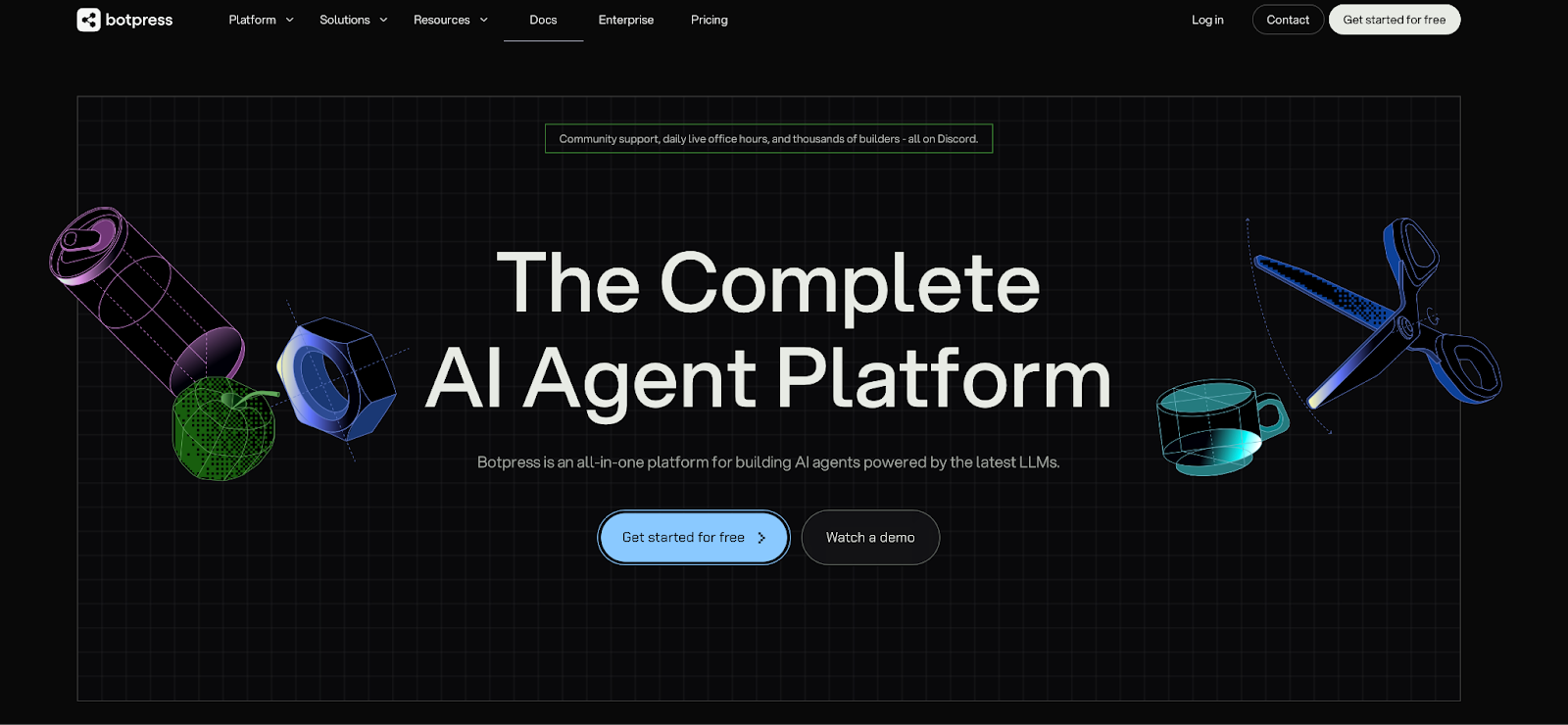
Botpress is a low-code platform for building production-ready AI agents that can reason, take actions, and integrate with your existing systems.
It combines a visual flow builder with LLMs, memory, and native API/tool calling, so teams can precisely control conversations or let agents act autonomously within guardrails.
Non-technical users can design flows with drag-and-drop, while developers can extend logic with code or use the full-code Agent Development Kit (ADK).
More than a million people have built agents on Botpress. Read our customers' stories here.
Pros of Botpress:
- Includes a built-in debugger that shows you exactly why your bot made each decision and detailed logs that trace every step of the conversation.
- Active community of 30,000+ builders on Discord providing peer support and troubleshooting assistance.
- Comprehensive learning resources including daily AMAs with employees, Youtube tutorials,detailed Documentation, and Botpress Academy.
- Offers 100+ pre-built integrations to platforms like Telegram, WhatsApp, Discord, and Facebook Messenger.
- Built-in analytics suite to track conversations, user engagement and bot performance.
Cons of Botpress:
- Advanced builds (agents that uses custom code, complex toolchains, or enterprise deployments) require developer input.
- Not designed for pure automation workflows without conversation.
Botpress Pricing:
Botpress pricing page offers a Free plan, then paid tiers (Plus at $89, Team at $495, and Managed at $1495) with usage-based scaling. Botpress has no markup on LLM API spend (you pay the model provider at cost).
2. Langflow
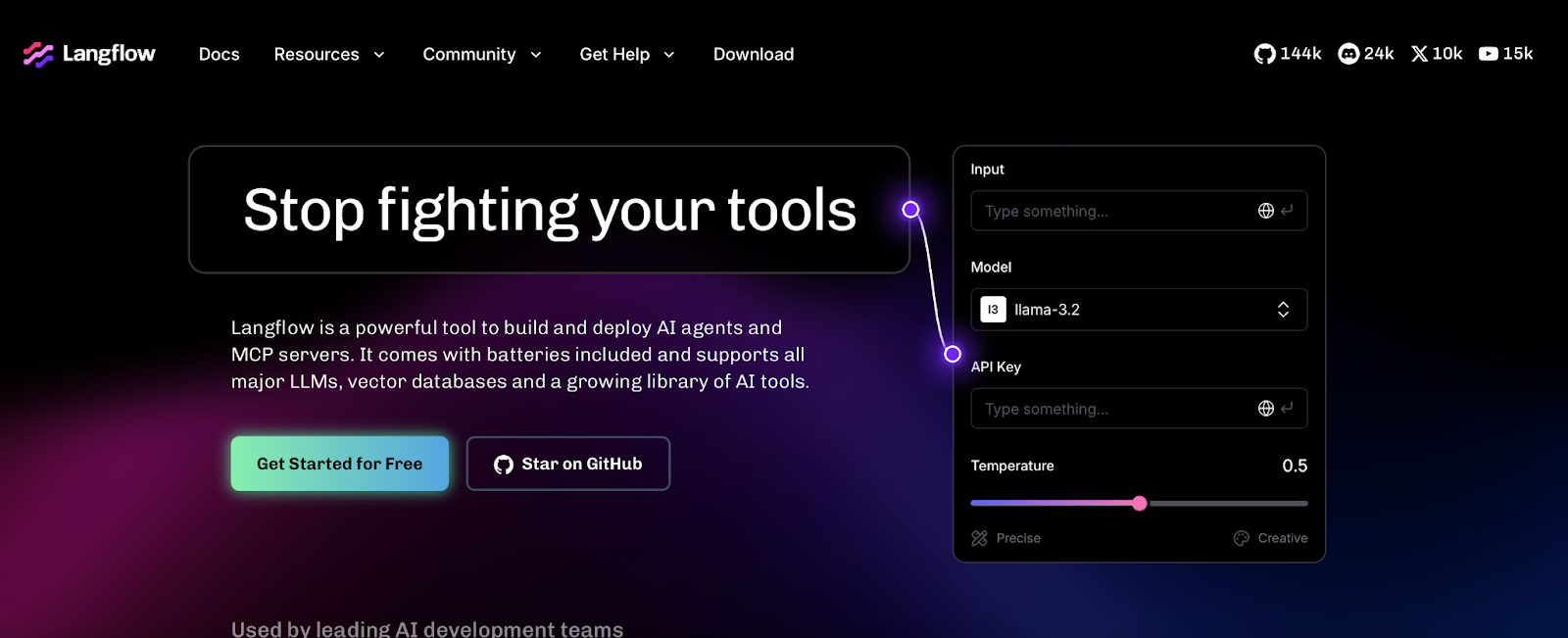
Langflow is a visual builder for LangChain-style LLM systems—best for teams who want to prototype chains, tool use, and RAG visually while staying close to the Python ecosystem.
Langflow is closer to an LLM wiring tool than a full conversational agent platform.
It shines when you want maximum flexibility over the LLM architecture. It follows the drag-and-drop logic to create user-friendly nodes.
But you’ll assemble more of the “app layer” yourself (UI, deployment pattern, guardrails) and insert “Custom Component” node with raw Python.
Langlow pros:
- Open-source (MIT) and self-hostable.
- Strong fit for Python-first teams building LangChain-like systems.
- Easy to turn flows into callable endpoints (useful for composing systems).
Langlow cons:
- Steeper learning curve for PMs/ops; assumes more AI literacy.
- You often need to build or integrate a separate chat UI + runtime patterns.
- Fewer “ship it fast” templates for non-dev teams.
Langflow’ pricing:
Free to self-host; costs are infrastructure + model/API usage.
3. Dify
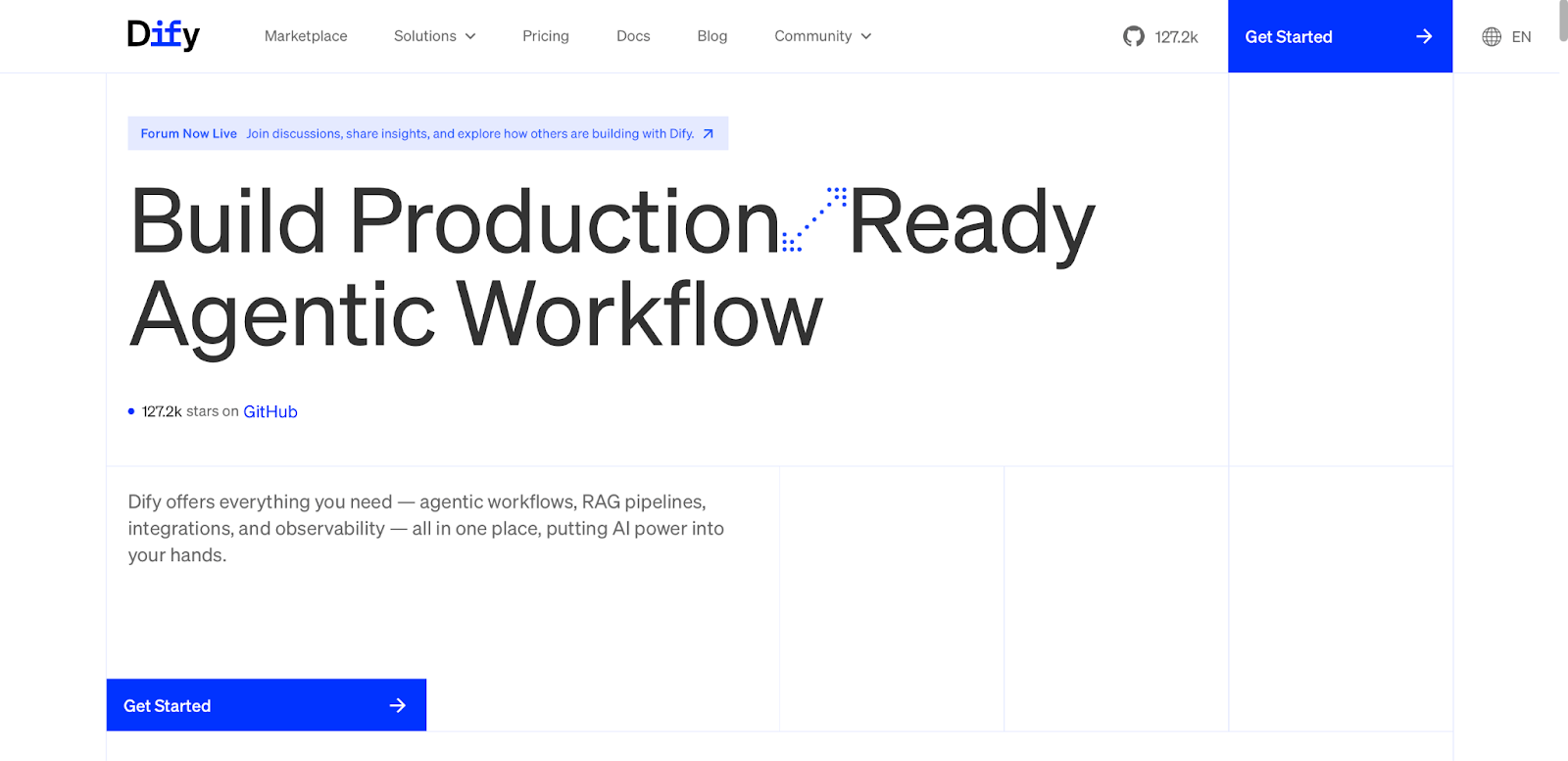
Dify is an open-source platform for product owners and low-code teams who want to go from the idea to the working app without stitching together multiple tools.
Dify combines three layers that are usually handled by separated tools:
- A visual workflows to define how the AI reasons
- A knowledge (RAG) based on you PDFs or folder,
- An app interface. Every project gets a hosted web UI, an API, and an embedded chat widget.
It’s powerful, but can feel “bigger” because it tries to cover workflows + knowledge + tool use in one place.
Pros of Dify:
- Fast to demo and iterate (apps, workflows, knowledge base).
- Built-in RAG and memory patterns.
- Open-source + self-host option.
Cons of Dify:
- Operational complexity when self-hosting (app server + DB + vector DB, etc.).
- UI can feel dense because it covers many surfaces.
- Support maturity varies depending on community/plan (Dify is at its early stage - 2025).
Pricing of Dify:
Dify is free to use and self-host. But if you opt for the Cloud-hosted option Dify offers a free Sandbox plan, a Professional Plan at $59/month, and a Team Plan at $159/month.
4. n8n
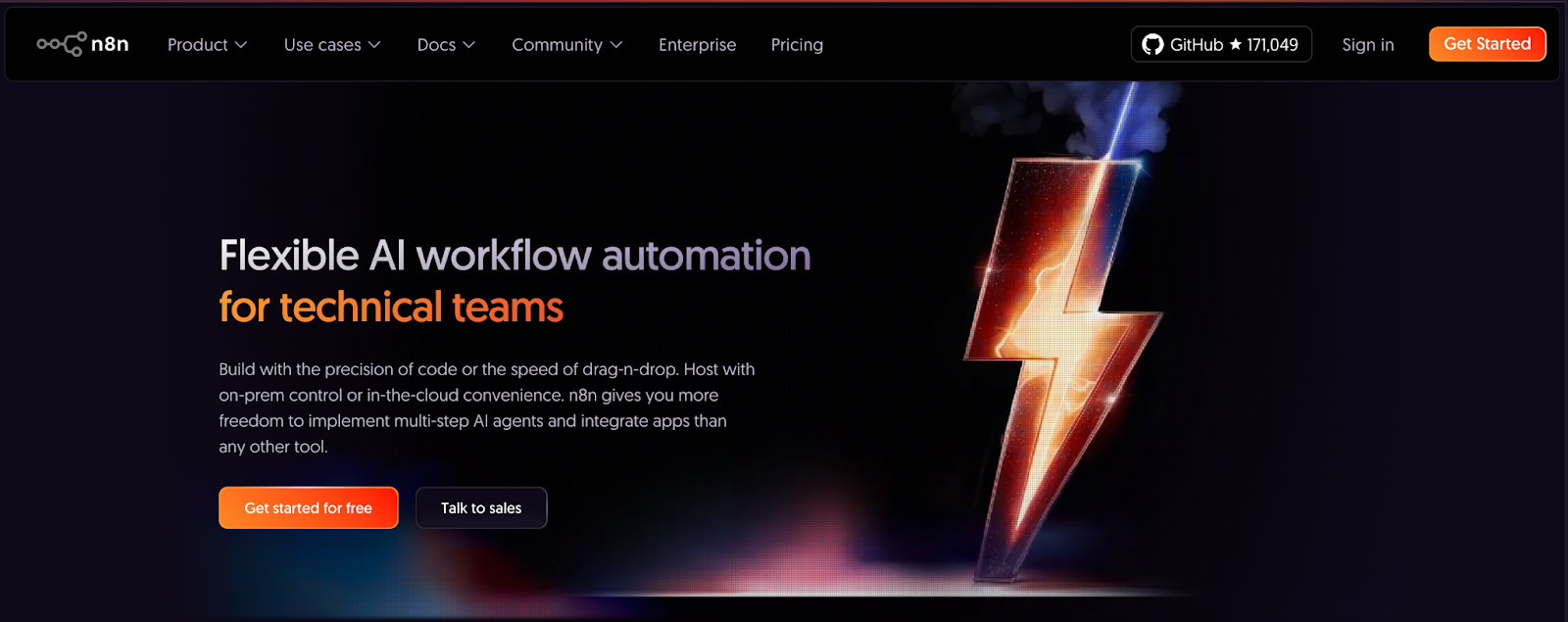
n8n is an open-source workflow automation platform that lets you insert AI-powered steps into traditional automations.
From our in-house testing, n8n treats AI as one step inside a predefined automation. You decide when the LLM is called, what input it receives, and what happens next, regardless of what the model “wants” to do.
By contrast, agent platforms treat conversation and reasoning as the control layer, letting the model decide which tools to call and what actions to take next.
“With n8n, the workflow defines the logic. AI is powerful, but it operates inside a predefined automation rather than acting as the decision-making layer.” - Former n8n’ user.
Pros of n8n:
- Excellent for end-to-end automations across hundreds of tools (400+ integrations).
- Self-hostable and extensible (custom nodes, JS snippets).
- In-house tech skills make n8n a potentially cheaper AI solution than multiple SaaS subscriptions.
Cons of n8n:
- It is a back-end engine, so it does not give you a ready-made chat window to show your clients or users.
- RAG setup is manual and time-consuming (vector store, document loading, chunking, and embeddings must be wired step by step).
- Large workflows can become visually cluttered.
Pricing of n8n:
n8n is free to use and self-host. But if you opt for the Cloud-hosted option, n8n is priced by workflow executions. They offer a Starter Plan at $23/month, a Pro Plan $59/month, a Business Plan $790/month, and an Enterprise (custom price).
5. Microsoft Copilot Studio
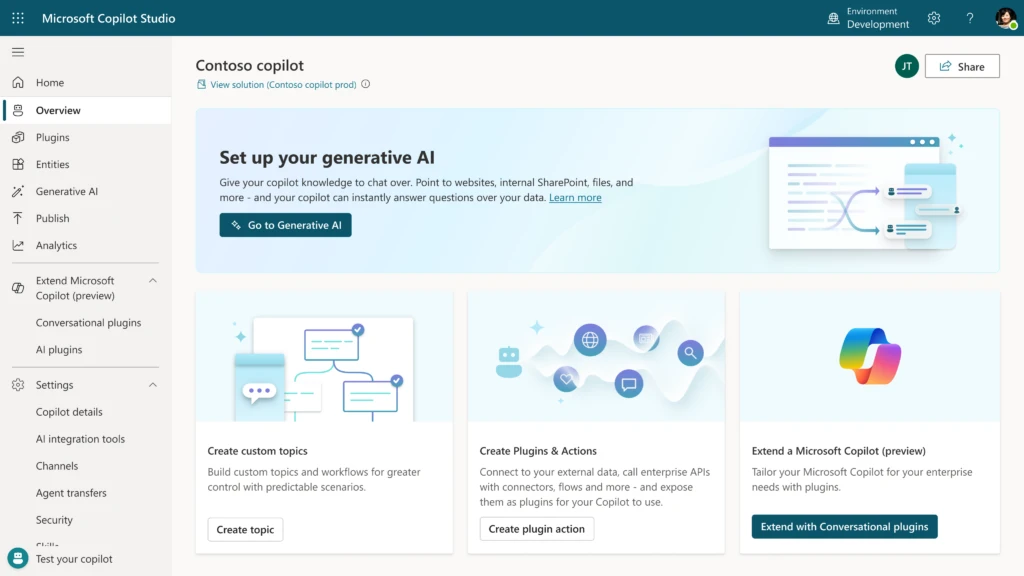
Microsoft’ Copilot Studio (formerly Power Virtual Agents) is Microsoft’s low-code environment for building agents inside the Microsoft 365 + Power Platform universe. It’s the most natural choice if your organization already lives in Teams, Power Automate, and Azure governance.
But important to note: Microsoft’s platform is better suited for enterprise teams who want to build internal-facing agents.If you want to build an agent for a public-facing webpage, then Microsoft Copilot Studio isn’t the best option.
Pros of Microsoft Copilot Studio:
- Deep Microsoft ecosystem integration (Microsoft 365, Teams, Power Platform, Azure services).
- Guided, templates-driven builder for inside-company scenarios.
- Enterprise-grade security and compliance (inherits Microsoft identity, access control, and governance).
Cons of Microsoft Copilot Studio:
- Strong Microsoft dependency (integrations outside the Microsoft stack add friction).
- Complex and evolving licensing because pricing and entitlements change frequently.
- Limited extensibility (more constrained than DIY frameworks or open agent platforms).
Pricing of Microsoft Copilot Studio:
Microsoft’s pricing is usage-based with some base licensing. Microsoft 365 Copilot (required initially) is $30/month. Then, Copilot Studio usage is about $0.01 per message processed.
6. IBM Watsonx.ai (AgentLab)
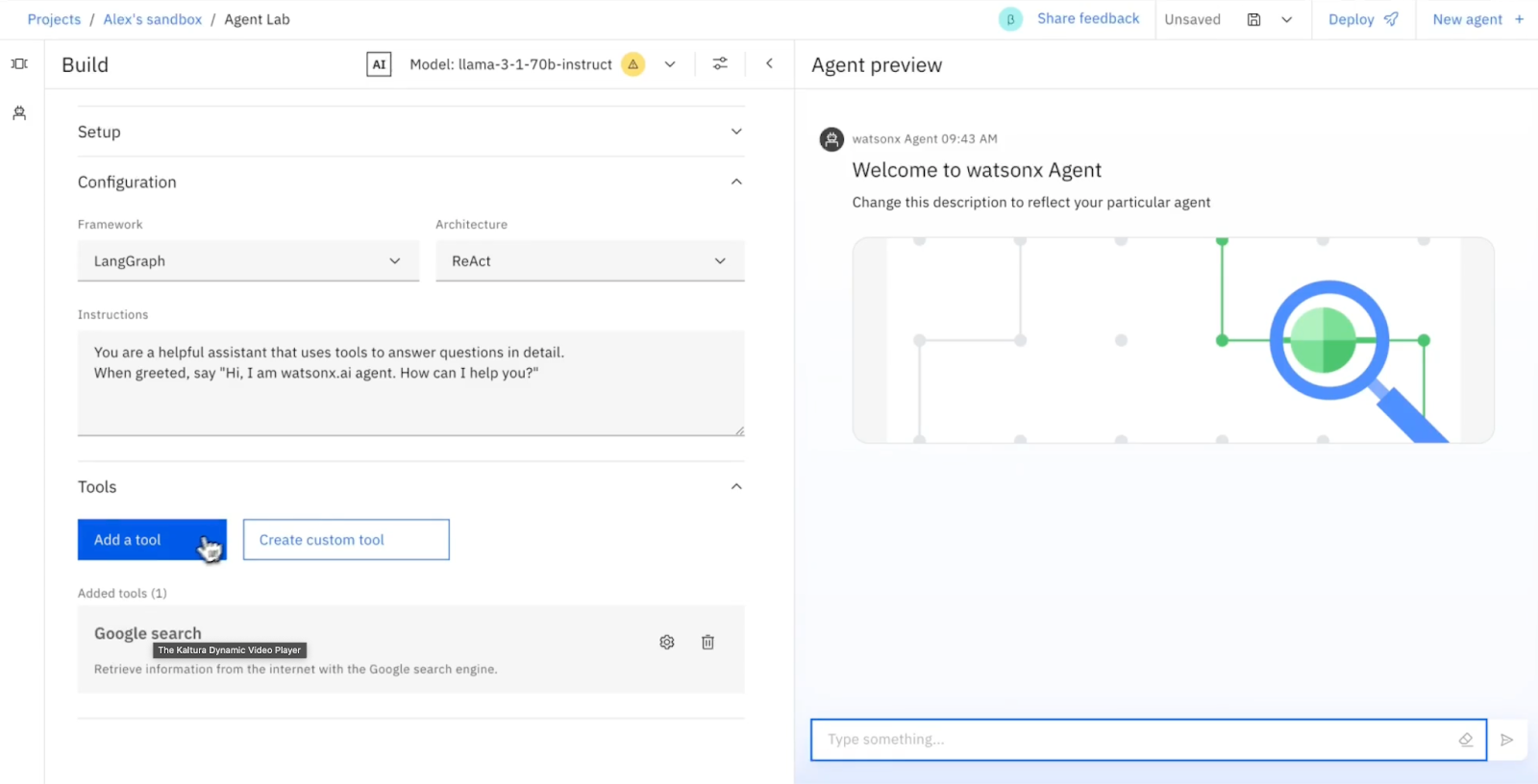
IBM Watsonx.ai (Agent Lab) is designed for enterprise prioritizing security compliance and ease-of-use over deep customization.
IBM AgentLab is ideal for regulated sectors like healthcare and finance, this platform prioritizes precisely defining agent actions over broad experimentation.
The IBM platform is the opposite of DIY agent platforms, where developers give the model broad freedom and accept higher risk.
With AgentLab, you assemble agents by selecting a reasoning framework, connecting approved tools and data sources, and configuring behavior through UI-driven settings.
Pros of IBM Agent Lab:
- Strong access control and governance with role-based permissions and conversation.
- Compliance-ready foundation aligned with regulated environments (GDPR, HIPAA readiness for healthcare data.)
- Native integration with IBM’s ecosystem across data platforms and AI services.
Cons of IBM Agent Lab:
- Optimized for large, regulated organizations rather than SMBs or prototypes.
- Requires commitment to IBM Cloud if you want full platform capabilities.
- Usability and stability can vary, as Agent Lab is still in beta and updated frequently.
Pricing of IBM Agent Lab:
IBM offers a Free Tier, and several plans, such as the Essentials (Pay-as-you-go), and a Standard (Pay-as-you-go) at $1050/month.
7. Google Dialogflow CX
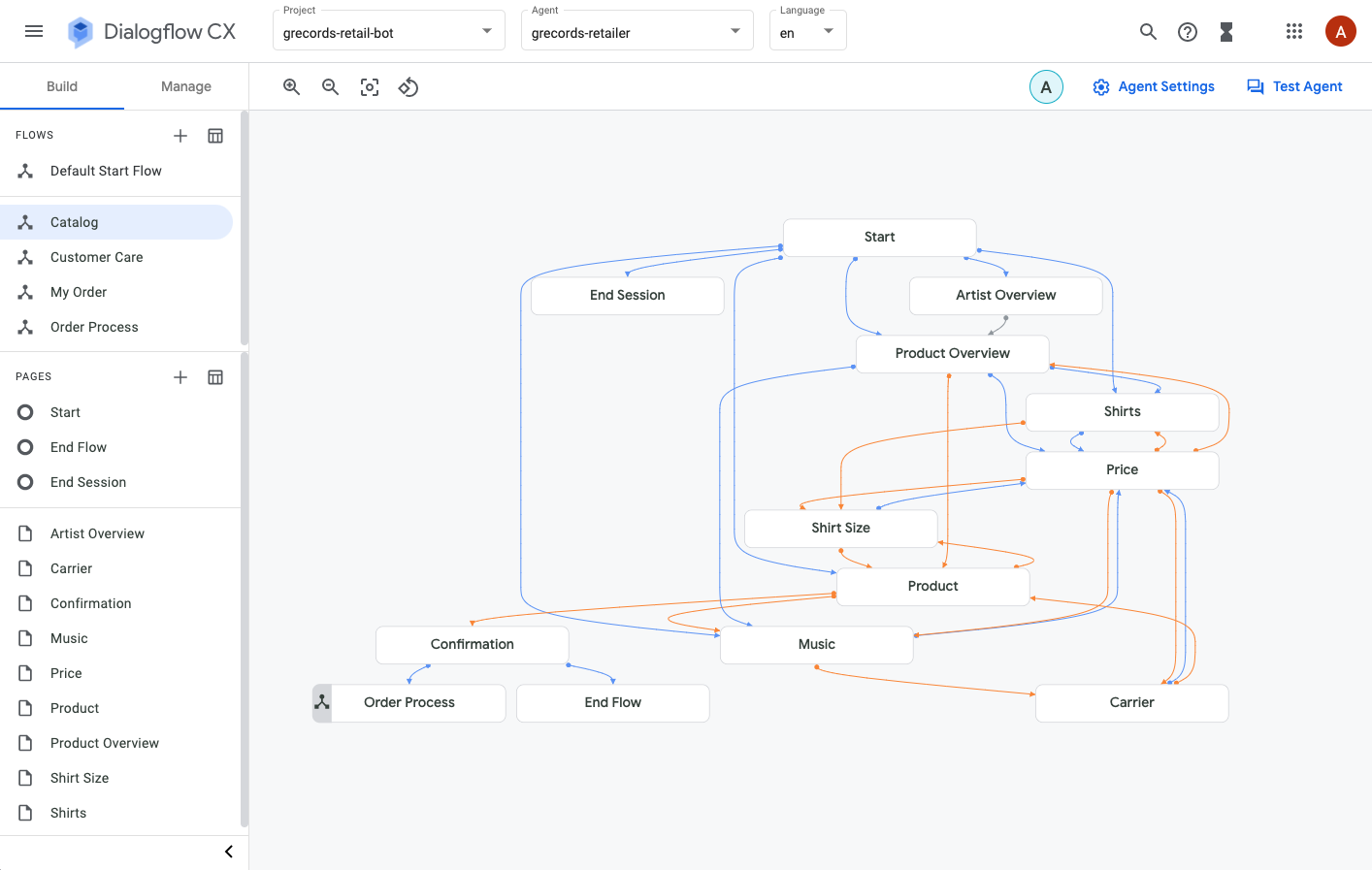
Google’s Dialogflow CX is an enterprise-grade conversational AI platform built for large, structured, high-scale systems.
It’s especially strong for voice bots (IVR), multilingual customer support, and long, multi-turn conversations.
Dialogflow CX is low-code because it replaces custom conversation logic with a visual state machine. Instead of writing code to track where a user is in a long conversation, you design that logic visually using flows and states.
It is distinct from Dialogflow ES (Essentials) due to its visual, state-machine-based conversation design, making it better suited for multi-turn conversations.
Pros of Dialoglow CX:
- Advanced NLU (Natural Language Understanding) powered by Google’s models for accurate intent detection and context handling.
- Built-in generative AI with Gemini for blending deterministic flows with generative responses.
- Broad channel and cloud integrations across Google Cloud, messaging platforms, and telephony providers.
Cons of Dialoglow CX:
- Limited agent autonomy by default, unless combined with external tooling.
- Requires additional architecture beyond the basic Dialogflow console for memory and RAG.
- Evolving product roadmap, which can introduce uncertainty as Google depreciates its platforms.
- Usage-based pricing can become expensive at scale compared to flat-license alternatives.
Pricing of Google Dialogflow CX:
Google Dialoglow CX is mainly usage-based. For an Agent Type “Chat”: $0.007 / 1 count. For an Agent Type “Voice”: $0.001 / 1 second
Low-Code AI Agent Platform Comparison
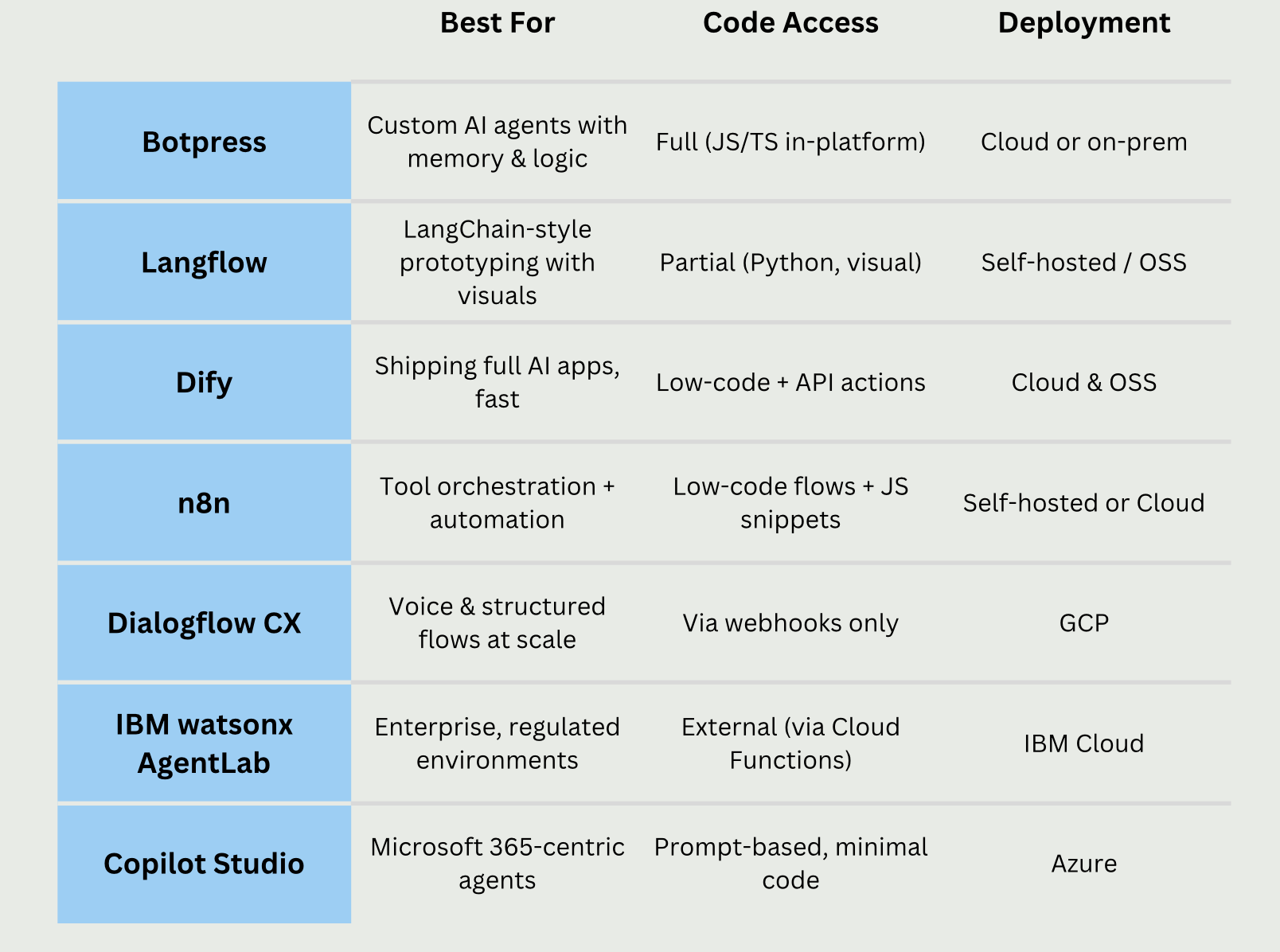
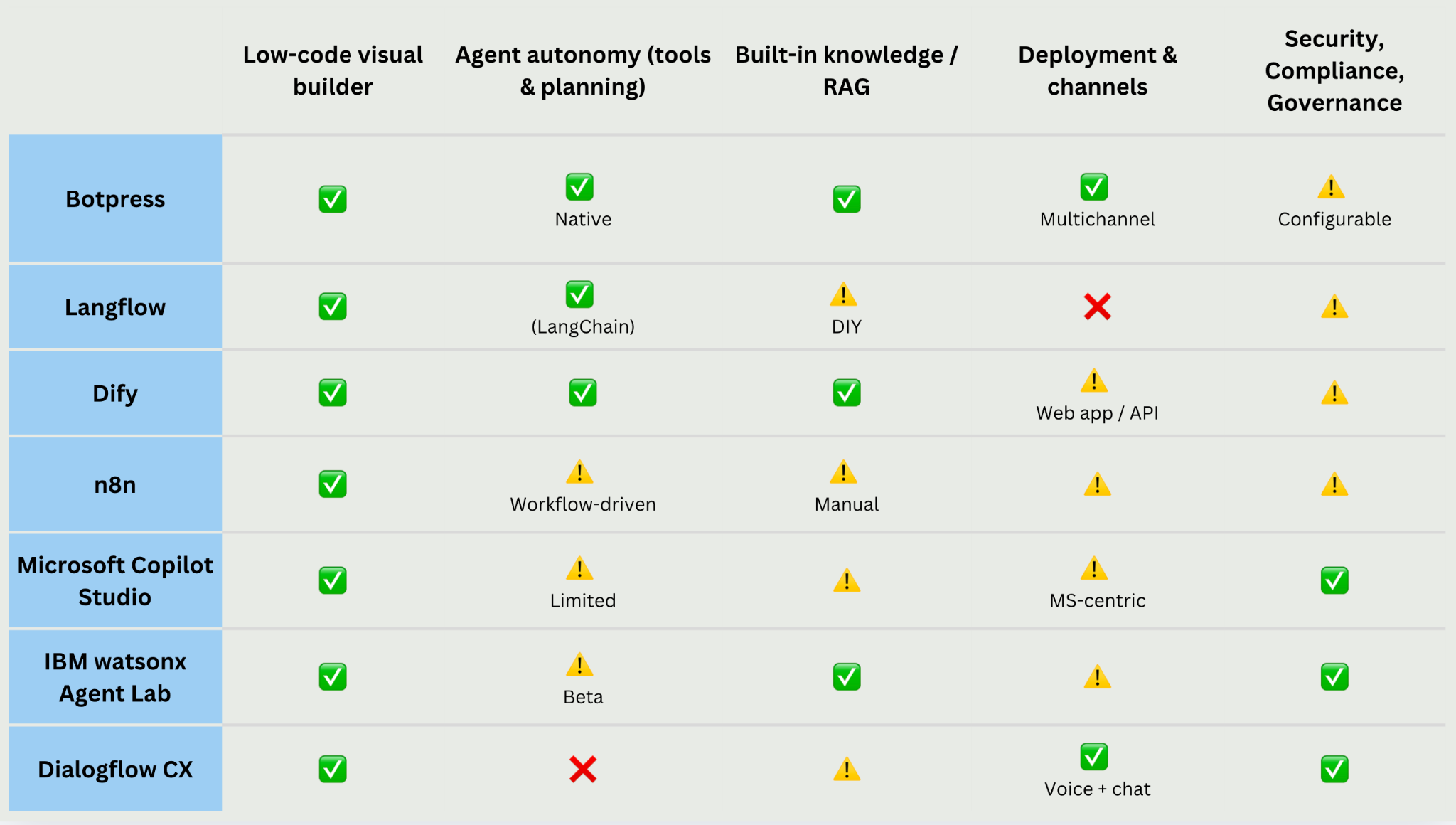
Comparison of low-code AI agent platforms across autonomy, reasoning, memory, extensibility, deployment, and enterprise readiness.
FAQ
Can low-code AI agent platforms be used in production?
Yes— but only platforms prioritizing execution are production-ready. These agent platforms feature persistent memory, tool orchestration, and visibility into events and costs. Prototyping tools, lacking a native agent runtime or observability, pose risks at scale.
What is the difference between an AI agent platform and an automation workflow tool?
Automation tools follow predefined steps. AI agent platforms, conversely, use loops: the agent reasons, acts, evaluates, and decides the next step. If all paths are pre-designed, it's automation, not an agent.
How do low-code AI agents handle memory and context?
Low-code AI agent platforms handle memory in different ways. Some platforms only maintain short-term session context, while others store long-term memory across conversations and channels. Without persistent memory, agents behave like chatbots rather than adaptive systems.
Do low-code AI agent platforms limit customization or control?
No- the key difference lies in whether the platform allows access to and modification of agent logic, often via code extensions. Flexible platforms expose this behavior, unlike no-code solutions that typically hide it.
How do I avoid vendor lock-in with a low-code AI agent platform?
To prevent lock-in, choose platforms offering code access, multiple LLM providers, and flexible deployment (e.g., self-hosting). Exportable/reusable agent logic is vital. Platforms controlling infrastructure make switching difficult.